

Last updated - January 8, 2024
According to the famous quote from Ronald Regan – “Information is the oxygen of the modern age.” And to date, the quotes stay relevant. Information now attracts more audience and as with ease with the internet people often prefer visiting websites that provide information and engage them.
Hence, businesses now look to make their website more engaging and informative, and for this, they are actively opting to embed RSS widget on WordPress website. And as most businesses are using WordPress, the platform now has great plugins that help embed RSS feed widgets on WordPress.
What is an RSS Feed Widget?

If this is the first time you have heard about the RSS feed widget, then here is a little brief for you. RSS feed widget is like a functional block on the website that helps display RSS feed with ease. RSS is one of the oldest internet features, but it still holds relevance.
Many people often think of RSS as a discarded technology. RSS widget may not be just about as well-known as they used to be, yet they’re still very significant. Rather than visiting the site on numerous occasions to see a new substance or search through a jam-packed web-based media timetable, RSS channels send fitted substances straightforwardly to the client. And by opting to embed the RSS feed on the website, you can provide that information in one place. You can stitch the content/information from different sites and showcase them to your website visitors.
With ease, you can find some easy-to-use and result-oriented plugins on the WordPress plugin store. But for your relevance, we have filtered some of the best of the best from the lot. So without any further ado, let’s get to know them.
Efficient RSS Widget Plugins for WordPress
There is a great plugin on the WordPress plugin store that enables users to embed RSS feed widget on the WordPress website. We filtered them based on usages, features, and pricing plans, and these plugins stand tall as per our analysis.
1. RSS Feed Plugin By Tagembed

If you are well aware of the latest digital marketing trends and tools, you might have heard about Tagembed. Tagembed is one of the well-known social media aggregator tools known for its smooth functioning, useful features, and pocket-friendly pricing plans. It brings the same magic to its users for WordPress. You can easily find the RSS feed by Tagembed on the plugin store.
The plugin is easy to install and provides great aid in adding beauty and functionality to your website. It enables users to collect social media feeds from 20+ social media platforms, and after users curation and customization, the plugin displays the feed on the website.
It provides a dedicated RSS widget that enables the display of RSS feed widget with ease. You can easily add an RSS feed to a website and make it more informative and engaging by following some simple steps.
This plugin not only eases the embedding process but also offers various useful features that add great value to this plugin. Like, it allows you to personalize your widget as per your need. Under the customization feature, you can change the font style, font size, and more to improve the beauty of your widget.
Also, it provides ample layouts and themes to choose from, so you can pick the one that best suits the style and vibe of your website. Displaying the feed using an appropriate layout can project your website as well organized, which eventually leaves a great impression in the minds of the visitors.
And by using the moderation feature, you can remove the content you think is unsuitable for your website. You can maintain the quality of your website with this tool.
2. RSS Aggregator by Feedzy – Powerful WP Auto blogging and News Aggregator By Themeisle

This plugin is one of the most powerful WordPress plugins that help aggregate and display RSS feed widget on a website. The plugin boasts of helping users to collect and display unlimited RSS feeds within a few minutes.
Like the plugin mentioned above, you can easily find it on the plugin store and easily download it for your WordPress website. As the plugin provides you the features to showcase unlimited feed, you can make your website informative and provide all the desired RSS blogs to your website visitors.
It provides a responsive widget that adjusts itself as per the screen size. There is no need to make adjustments as per different devices. It provides a seamless and smooth display without affecting the speed or alignments of the website.
The plugin is also compatible with displaying images without hampering website speed. This helps to improve the visual appeal of your website and enhances the look and feel of your website.
You can even customize the widget as per your requirements and beautify the widget. All these measures help improve the charm of your website and eventually help create an everlasting impression on your visitors.
3. WP RSS Aggregator by RebelCode
We all know how important it is to have an engaging and impressive website in this competitive world. So often, consumers determine the quality and reputation based on the website. After all, websites represent brands. By adding the RSS feed to the website, you can add that element that creates a good impression. And for that, we have these amazing plugins.
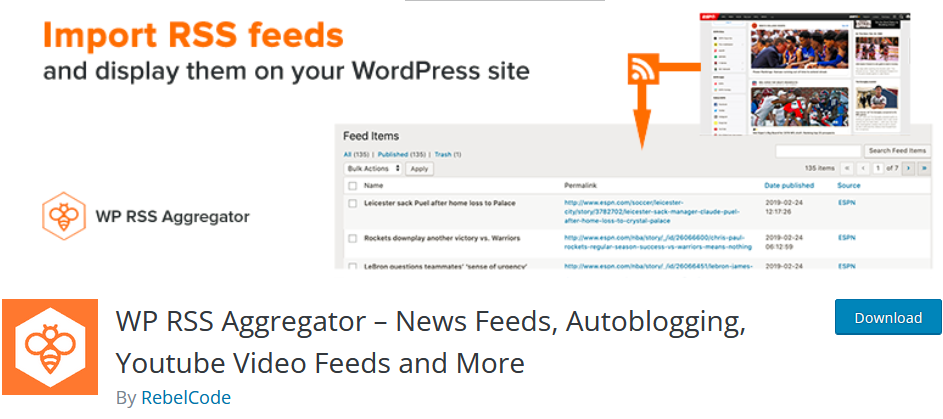
Next on our list is the WP RSS Aggregator plugin by RebelCode. This plugin is one of the most well-known plugins. It is a robust plugin that helps users import, merge, and display RSS feeds anywhere on your WordPress website.
It helps you gather RSS feeds from an unlimited number of websites and allows you the ease to display them on your website. You can even customize the display templates and match them to your website. The uniformity helps make your website more appealing and makes it look more professional and organized.
And as it seamlessly displays images, it brings liveliness to your website and helps you in getting a presentable website. The plugin has a user-friendly interface that makes it easy to operate. With the responsive widget, you visitors using any device can go through the website and content without any trouble.
Over to You
There you have it, 3 best WordPress plugins that help you collect, curate, customize, and display RSS feed widget on the website. You can find these plugins with ease, and by following some simple and basic steps, you can embed RSS feed widget on WordPress website with ease.
So what is stopping you now? Go ahead, try these plugins now and get an edge over your competitors.