
Last updated - November 10, 2023
On an eCommerce website, the “My Account page” is a key component. Deal-closing and building a devoted customer base are the responsibilities of this page. You must understand how to modify the WooCommerce My Account Page if you want to increase the conversion rate of your WooCommerce store. This can be done by either editing the code editing or using a plugin.
In this article, we will show you how you can edit the My Account Page of WooCommerce using both the abovementioned methods.
What is WooCommerce?
WooCommerce is a plugin that connects seamlessly with your present WordPress website, transforming it into a perfectly functioning WordPress eCommerce official site in just a few simple steps.
The plugin quickly established itself as the go-to option for users looking to start their own online shops after its 2011 release.
The plugin and its parent organization were acquired by Automattic, the company in charge of running WordPress.com, in 2015; at the time, it was their largest acquisition to date. Since then, it has continued to grow rapidly.
Nearly 99% of WordPress eCommerce websites currently run on it in the US, Canada, and the UK. With millions of daily registrations and over 27,000,000 downloads, it is undoubtedly the driving force behind many eCommerce sites.
What is WooCommerce My Account Page?
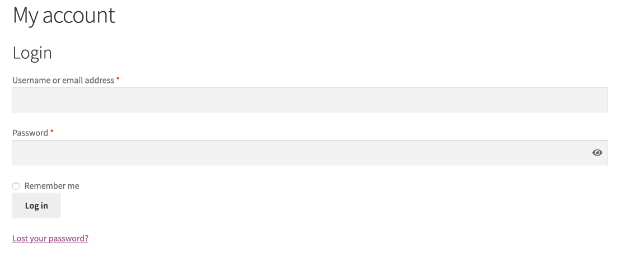
The primary consumer interface in a WooCommerce store is called My Account. Customers can have access to past orders, address changes, and payment information on the My Account Page. The login prompt is displayed if a consumer visits the My Account page without first logging in. After logging in, the client is presented with the standard My Account Dashboard along with connections to additional sections.
How to Edit WooCommerce My Account Page?
By Editing the Code
The My Accounts Page was developed utilizing a shortcode, allowing for coding customization. You must modify the functions.php file in your theme to accomplish this. Before continuing, we advise creating a backup of your website if you are uncomfortable modifying code.
Open the functions.php file for your theme in a text editor like Notepad or TextEdit after you’ve made a backup of your website. Then, add the subsequent code at the end of the file:
add_filter( ‘woocommerce_my_account_menu_items’,
‘bbloomer_remove_my_account_links’ ); function
bbloomer_remove_my_account_links( $menu_links ){ unset(
$menu_links[‘dashboard’] ); // Remove Dashboard link unset(
$menu_links[‘payment-methods’] );
As simple as it may seem to edit the WooCommerce My Account Page by editing the short code, you need to have technical and coding experience to do this.
Using a Dedicated Plugin
You may change and personalize your WooCommerce My Account Page in a variety of ways. Editing it with a WooCommerce plugin is the simplest option. In this case, we will consider My Account Page Editor plugin as an example. We’ll walk you through the entire procedure step-by-step using a plugin right here.
First, download the .zip file of the My Account Page Edior plugin from your WooCommerce account.
Navigate to WordPress Dashboard > Plugins > Add New > Upload Plugin with the downloaded file by clicking Choose File.
Next, Install and Activate the plugin
Once the plugin is installed and activated you need to Setup and Configure the plugin by going to My Account Page Editor from the WordPress Admin Panel.
Create New Endpoint
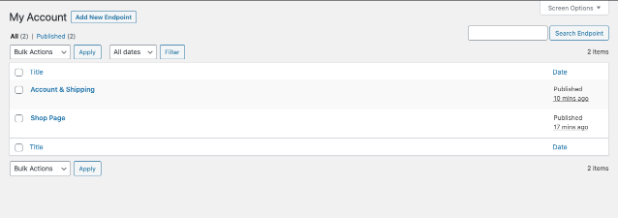
The array of custom endpoints generated with this plugin will be displayed in the All Endpoints section.
To add a new menu item or tab to your my account page, select Add New Endpoint from the drop-down menu. Make sure to specify the following details that are available when creating a new Endpoint.
- Title of the Endpoint title
- Select the appropriate icon
- Restrict based on user roles (uncheck the section to apply for all customers)
- Choose the type of endpoint
- Add content using editor
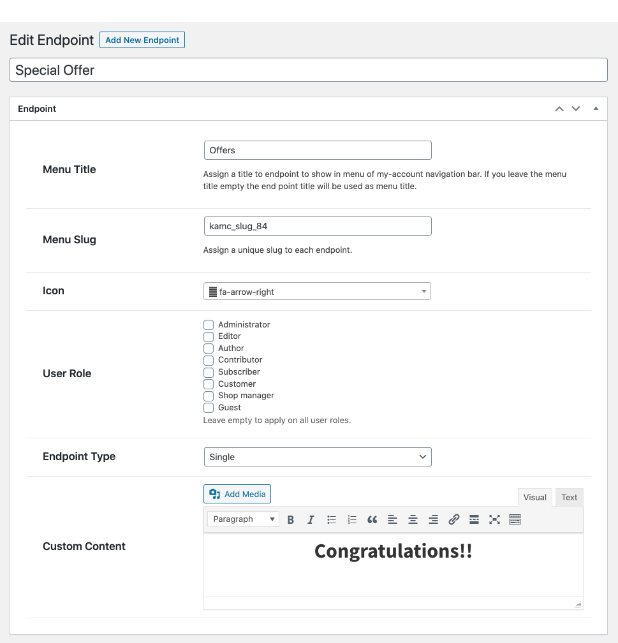
There are two additional field that will be displayed by selecting Grouped Endpoint
- Choose the customised endpoints to display as reliable
- Choose the default endpoints to display as trustworthy.
General Settings
You can customize the following aspects in the General Settings tab
- Display Settings
- Theme style (Not compatible with group endpoints)
- Left and Right Sidebars (Replaces menu with custom style of the plugin)
- Tabs (Replaces menu with custom style of the plugin)
- Add and edit Text, background, and color
- Hide default endpoints
- Enable or disable profile picture
- Reorder/rearrange endpoints
Benefits of Editing WooCommerce My Account Page
Reduced Product Returns
The customer experience will improve and there will be less returns if you include specifications and/or instructional resources on your product listings on your My Account Page, which will boost buyer confidence.
Enhanced Customer Loyalty
By consolidating all of a customer’s information in one convenient spot, without the need to contact customer care, personalizing the My Account page can greatly assist in making their life easier. The page offers them a location where they may get exclusive deals in exchange for being their regular consumers.
Increased Customer Retention
You can provide coupons and discounts on your My Account Page to entice users to return to your website and check out the latest deals and promotions. Additionally, they’ll return occasionally to look for fresh deals and promotions.
Lesser Complaints and Grievances from Customers
Nearly 67% of people choose self-serve options instead of calling customer care. To promote self-service, offer access to a wide range of goods with more inquiries and answers, on-demand user manuals, and user manuals for a variety of items.
Some of the Popular Plugins to Edit WooCommerce My Account Page
Codecanyon – WooCommerce Custom My Account Page
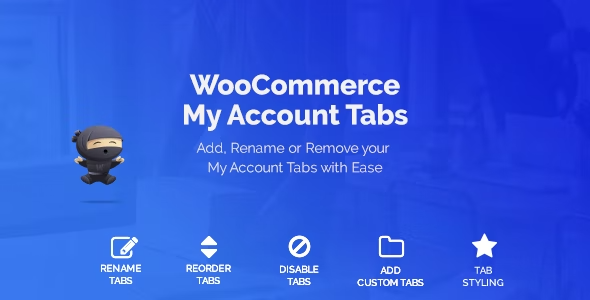
With the help of this reasonably priced plugin, you can quickly and easily construct a lovely, uncluttered, and cosy WooCommerce my account page. This plugin is appropriate for any theme because it allows you to completely change the look of your own account pages, adding intriguing features like three distinct layouts, a custom background colour, and unique text.
You can create a single page for My Account with this plugin. With the custom CSS choices offered by the plugin, you can pick between three distinct layouts and fully revamp your WooCommerce My Account page.
Price – $34 for Regular license
IconicWP – WooCommerce Account Page
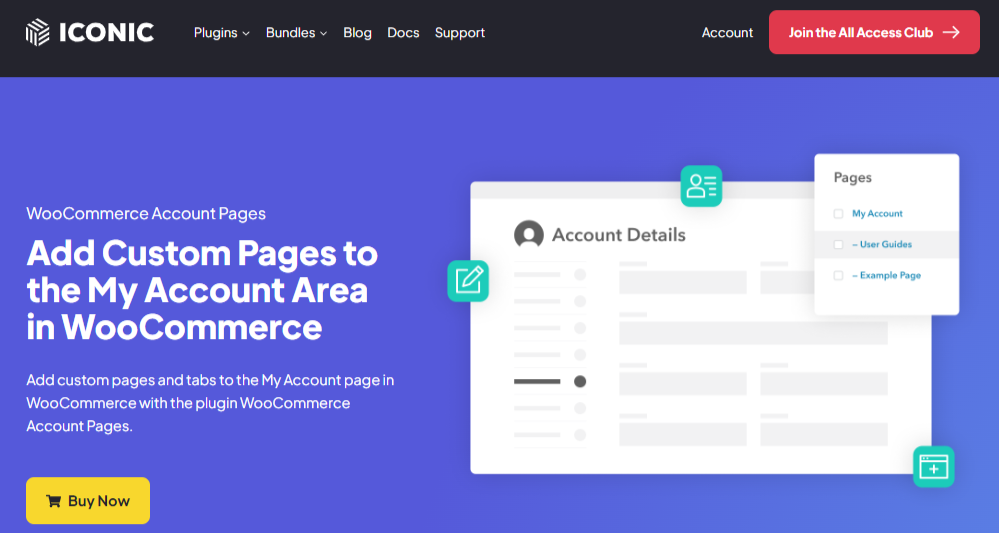
Instead of functioning like an installed plugin in WooCommerce, the plugin functions more like an additional functionality. There’s no need to worry about including a tabbed link on the My Account page because the IconicWP plugin interacts with WooCommerce without a hitch and adds an infinite number of tabs to the WooCommerce My Account page, allowing any page you create to be shown as a tabbed link.
If you want to add several “My Account” pages to your website, you will adore it. Additionally, for those who require several tabs and connections for their account page. It comes equipped with everything you require to build all the My Account pages you require.
Price – $49/annum for a single site
YITH – WooCommerce Customize My Account Page
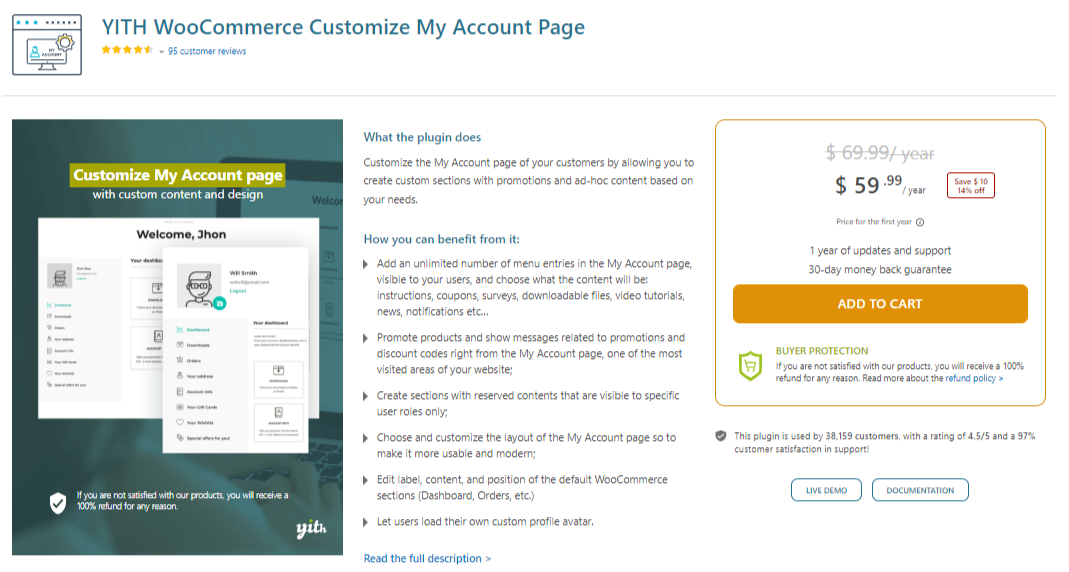
You may alter the standard content on the WooCommerce My Account page and present what your clients wish to see by using YITH WooCommerce Customize My Account Page. Without having to change any files or even code, this is a fantastic way to personalise your account page.
By utilizing this extension, you can quickly alter what is shown on your customers’ accounts based on their function or just conceal specific portions that you don’t want to show. After logging in, the email that will be sent can also be edited.
Price – $59.99/annum
Conclusion
Editing your WooCommerce My Account Page is an essential aspect of your WooCommerce business as it comprehensively enhances your eCommerce business. Moreover, you will reap the several benefits outlined in this blog just by editing the WooCommerce My Account page.
So, make follow the two methods of editing your WooCommerce My Account page described above. In addition, you can watch the video embedded below for detailed and visual description of how to edit the WooCommerce My Account page.









Valuable information.
https://www.mobileapptelligence.com